

Gamma AI Review 2026: Is It the Fastest Way to Make Presentations?
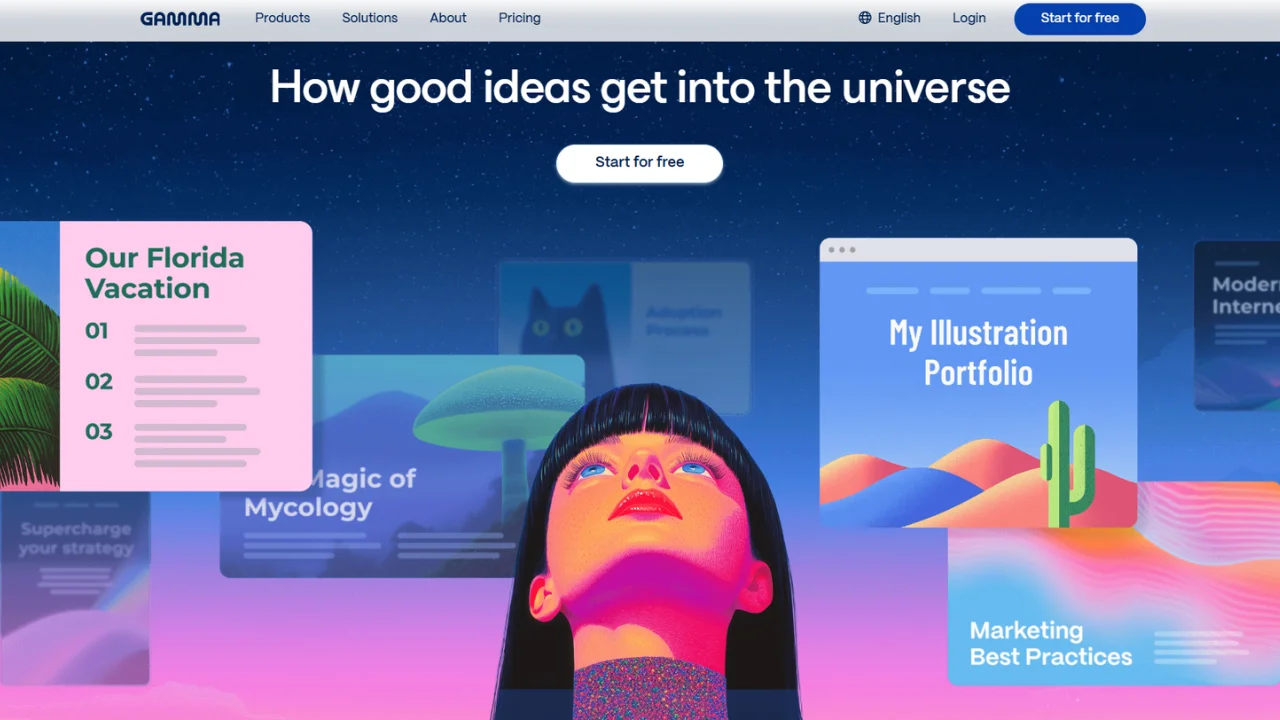
If you have ever opened PowerPoint with a blank slide and spent the next hour nudging boxes around, Gamma feels like a different category of software. It starts with the idea, builds the structure, and gives you a designed presentation instead of asking you to become a part-time slide designer.
That speed is why Gamma has become one of the most interesting AI presentation tools to test in 2026. But fast generation is not the same thing as a presentation you can confidently send to a client, investor, executive, or classroom.
This Gamma AI review looks at the practical workflow: what Gamma generates, how its newer Agent features change editing, what you get on the current plans, where exports can become a constraint, and who should actually use it.
Key Takeaways
- Gamma turns prompts, outlines, documents, and URLs into designed presentations rather than starting with a blank slide.
- Gamma Agent can research, rewrite, add slides, restyle decks, work from URLs and screenshots, and make broader edits through chat.
- The free plan supports up to 10 slides per prompt and exports to PDF, PPTX, PNG, and Google Slides.
- Gamma is strongest when speed, visual structure, and web-based sharing matter more than pixel-perfect PowerPoint control.
- You should still fact-check AI-generated claims and manually polish important decks before presenting them.
What Is Gamma AI?
Gamma is an AI-powered creation platform that generates presentations, documents, websites, social content, and other visual communication from prompts or existing material. Its presentation workflow is designed to give you a complete first draft instead of a collection of empty slides.
The difference is structural. Gamma uses flexible cards as building blocks, so content can adapt to the available space instead of behaving exactly like a fixed PowerPoint canvas. Gamma says these cards can dynamically adjust while keeping the layout organized. citeturn2search1
You can start with a topic, paste an outline, or import existing material. Gamma’s official workflow currently supports Generate, Paste, and Import modes, including imports from PowerPoint, documents, and URLs. citeturn2search5turn2search9
That makes Gamma useful for more than investor decks. A marketer can turn a campaign brief into a client presentation. A sales team can turn a product outline into a proposal. A consultant can turn research into an executive narrative. An educator can turn lesson material into a visual deck.
Key Features Worth Knowing
The main reason to use Gamma is that it combines content generation, layout, visuals, editing, and presentation sharing in one workflow. The newer Agent workflow pushes Gamma beyond simple prompt-to-slides generation.
1. Prompt-to-deck generation
Gamma can take a topic or rough brief and produce an outline, slide content, layouts, and visuals. Gamma’s own presentation guide says the first draft can arrive in under a minute, while its documentation describes generation as roughly 30–60 seconds depending on the workflow. citeturn2search7turn2search8
2. Import and restyle existing material
You do not have to start from zero. Gamma can import PowerPoint presentations, documents, webpages, and other source material, then help restructure or restyle it. One useful distinction: Gamma’s plain importer focuses on bringing in content, while AI import can apply a new theme and layout.
3. Gamma Agent
Gamma Agent is the feature that makes the product much more interesting for repeat users. Gamma says Agent can research the web, pull in citations, read URLs, incorporate screenshots, restyle a whole deck, add slides, correct copy, summarize content, and make broader presentation edits. Agent is currently described by Gamma as being in beta.
4. Export and sharing
Gamma presentations can be presented directly from Gamma or shared as a live link. Gamma’s presentation product page also lists export options including PowerPoint, PDF, and Google Slides.
How to Actually Use Gamma
The best Gamma workflow is to give the AI a specific job, audience, structure, and source material instead of typing a vague topic. Better inputs usually produce a much more useful first draft.
Step 1: Start a new Gamma.
From the dashboard, choose the AI creation flow and select Generate when you want Gamma to build a first draft from a topic. Use Paste when you already have an outline or copy. Use Import when you have an existing document, deck, or URL.
Step 2: Define the audience.
Instead of “make a presentation about digital marketing,” try: “Create a 10-slide presentation for US restaurant owners explaining how paid social can increase online orders. Keep the tone practical and include a final action plan.”
Step 3: Choose the visual direction.
Gamma offers themes and, in its newer Agent creation workflow, styles such as Minimal, Visual, Classic, and Consultant. The style choice affects both layout and writing voice.
Step 4: Review the narrative before polishing.
Do not immediately obsess over fonts. First check whether the story makes sense: problem, evidence, solution, proof, next step. AI can produce attractive slides with weak logic, and design cannot fix a bad narrative.
Step 5: Use Agent for targeted changes.
Open Agent from the sparkle control or Agent button and give it a concrete instruction such as “add an executive summary,” “make this slide more concise,” or “restyle the deck for a conservative B2B audience.” Gamma documents both slide-level and broader Agent editing workflows.
Step 6: Export only after a human QA pass.
Check numbers, names, citations, image relevance, spacing, and the PowerPoint/PDF output. For a client-facing presentation, never treat the first AI draft as final.
Gamma Pricing and Plans in 2026
Gamma currently offers Free, Plus, Pro, and Ultra individual plans, with separate Team and Business options. The exact price shown can depend on billing frequency and the pricing experience presented to your account, so the official pricing page should be treated as the final source before purchase.
| Plan | What the official page currently highlights | Best for |
|---|---|---|
| Free | Up to 10 slides per prompt; PDF/PPTX import; export to PDF, PPTX, PNG and Google Slides. | Trying Gamma and occasional simple decks. |
| Plus | Higher creation limits, removal of Gamma branding, and advanced AI image models. | Frequent individual presentation work. |
| Pro | Premium AI image models, custom branding and fonts, detailed analytics, advanced sharing, custom domains, and API access. | Professionals, marketers, consultants, and teams with branding needs. |
| Ultra | Access to the most advanced AI text, image, and video models, higher usage, more custom domains, and early feature access. | Heavy AI content creators and power users. |
Gamma’s official pricing page confirms the plan structure and feature differences. The free tier is particularly useful for testing because it includes presentation creation and several export formats without requiring a paid subscription.
Pricing caveat
Third-party 2026 comparisons commonly place Gamma Plus around $9–$10/month and Pro around roughly $18–$25/month depending on billing. Those figures should be treated as indicative, not permanent pricing. Gamma’s own pricing page is the source to check for the exact amount offered when you subscribe.
Pros, Cons, and Who Gamma Is Actually For
Gamma is a strong choice when the expensive part of presentation work is getting from an idea to a credible first draft. It is less compelling when your workflow depends on detailed PowerPoint-native editing or exact slide geometry.
Pros
- Very fast prompt-to-presentation workflow.
- Strong visual hierarchy without requiring design expertise.
- Useful import and restyling workflow.
- Agent can make deck-wide changes through natural-language instructions.
- Live sharing and multiple export formats reduce friction.
- Useful for presentations, documents, websites, and other visual communication.
Cons
- AI-generated facts still require human verification.
- Generated slides can feel generic if the prompt is generic.
- PowerPoint export is useful, but a Gamma deck is not the same thing as building every object natively in PowerPoint.
- Advanced features and higher usage limits require paid plans.
- Agent is still identified by Gamma as beta.
The biggest practical weakness is not visual quality. It is over-trusting the first draft. Gamma can solve formatting friction so effectively that users may forget that the real job is communication. If your argument is weak, AI simply makes the weak argument look cleaner.
How Gamma Compares to Alternatives
Gamma is best for speed and an AI-first workflow; Canva is stronger when broader visual design control matters, while PowerPoint with Copilot makes more sense for organizations that already live inside Microsoft 365.
Canva: Choose Canva if the presentation is part of a larger visual marketing workflow involving social posts, ads, video, print, and brand assets. Gamma is more focused on turning ideas into structured visual communication.
Beautiful.ai: Beautiful.ai is a better fit when automatic layout discipline and brand consistency are the priority. Gamma gives you a more flexible AI creation workflow and broader content formats.
PowerPoint + Copilot: If your company requires native PowerPoint files and your team already works inside Microsoft 365, staying in PowerPoint can be the lower-friction choice. Gamma becomes more attractive when rapid creation and web sharing matter more than staying entirely inside Microsoft Office.
ChatGPT or Claude: These tools can be excellent for research, outlining, and copywriting, but Gamma specializes in turning that thinking into a designed visual artifact. For many workflows, the strongest combination is an AI chatbot for deep thinking followed by Gamma for presentation design.
Real-World Use Cases: Where Gamma Makes the Most Sense
Gamma delivers the most value for repeatable communication tasks where the content changes but the basic presentation workflow stays similar. That includes sales proposals, client reporting, investor materials, onboarding, internal strategy decks, and educational presentations.
Client reporting
A marketer can paste campaign results, key metrics, wins, problems, and next steps into Gamma and use the AI to organize them into an executive-friendly narrative. This is especially useful when the raw information already exists but the team has not had time to design the report.
Sales proposals
Gamma’s presentation product specifically targets sales proposals and pitch decks. You can start with a one-pager and turn it into a structured presentation, then adjust the narrative and visuals before sharing it with a prospect.
Research summaries
Agent becomes more useful when research is part of the job. Gamma says Agent can search the web and add citations, read URLs, and use supplied screenshots or source material as part of the presentation workflow.
Internal presentations
For weekly business reviews, project updates, and strategy meetings, speed often matters more than artistic originality. Gamma can create a usable baseline quickly, leaving you to spend time on decisions and discussion instead of formatting.
FAQ
Is Gamma AI free?
Yes. Gamma has a Free plan that supports AI creation, allows up to 10 slides per prompt, and includes imports from PDF and PPTX plus exports to PDF, PPTX, PNG, and Google Slides. Paid plans add higher limits, branding controls, advanced models, analytics, and other features.
Can Gamma create PowerPoint presentations?
Yes. Gamma supports PPTX export, allowing you to move a generated presentation into a PowerPoint workflow. Gamma also supports PDF, PNG, and Google Slides exports. The exported file should still be reviewed for layout and formatting before an important presentation.
What is Gamma Agent?
Gamma Agent is Gamma’s AI design partner for researching, editing, restyling, and improving presentations. It can read URLs, work with screenshots, search the web, add slides, revise copy, change themes, and make broader edits through natural-language instructions. Gamma currently describes Agent as being in beta.
Is Gamma better than Canva for presentations?
Gamma is generally the better choice when your priority is generating a complete presentation quickly from a prompt or source document. Canva is stronger when presentation work is part of a broader visual-design workflow. The better choice depends on whether speed and AI-first creation or broader design flexibility matters more.
Is Gamma good for professional presentations?
Yes, especially for first drafts, sales decks, proposals, reports, and internal presentations. Gamma can produce polished layouts quickly, but professional users should verify facts, refine the narrative, check visuals, and review the final exported file. AI removes much of the formatting work; it does not replace editorial judgment.
Final Verdict: Should You Use Gamma?
Gamma is one of the strongest AI presentation tools to try in 2026 if you want to go from a rough idea to a polished first draft quickly. Its combination of AI generation, flexible layouts, import tools, live sharing, exports, and Gamma Agent makes it more useful than a simple “write my slides” generator.
For a solo marketer, consultant, founder, salesperson, educator, or small business owner, the biggest benefit is time. You can spend less energy making boxes line up and more energy deciding what the audience actually needs to see.
I would start with the Free plan. Build two or three real presentations, export them, and see whether Gamma fits your workflow. Upgrade only if you hit creation limits, need to remove branding, require advanced models, want detailed analytics, or need the additional customization and API capabilities available on higher plans.
One rule remains non-negotiable: use Gamma to accelerate presentation work, not to outsource your thinking. The best AI-generated deck is still the one a human has reviewed, edited, fact-checked, and made relevant to the audience.

An AI researcher who spends time testing new tools, models, and emerging trends to see what actually works.

