

NotebookLM Is Now Gemini Notebook: What Changed and How to Use It
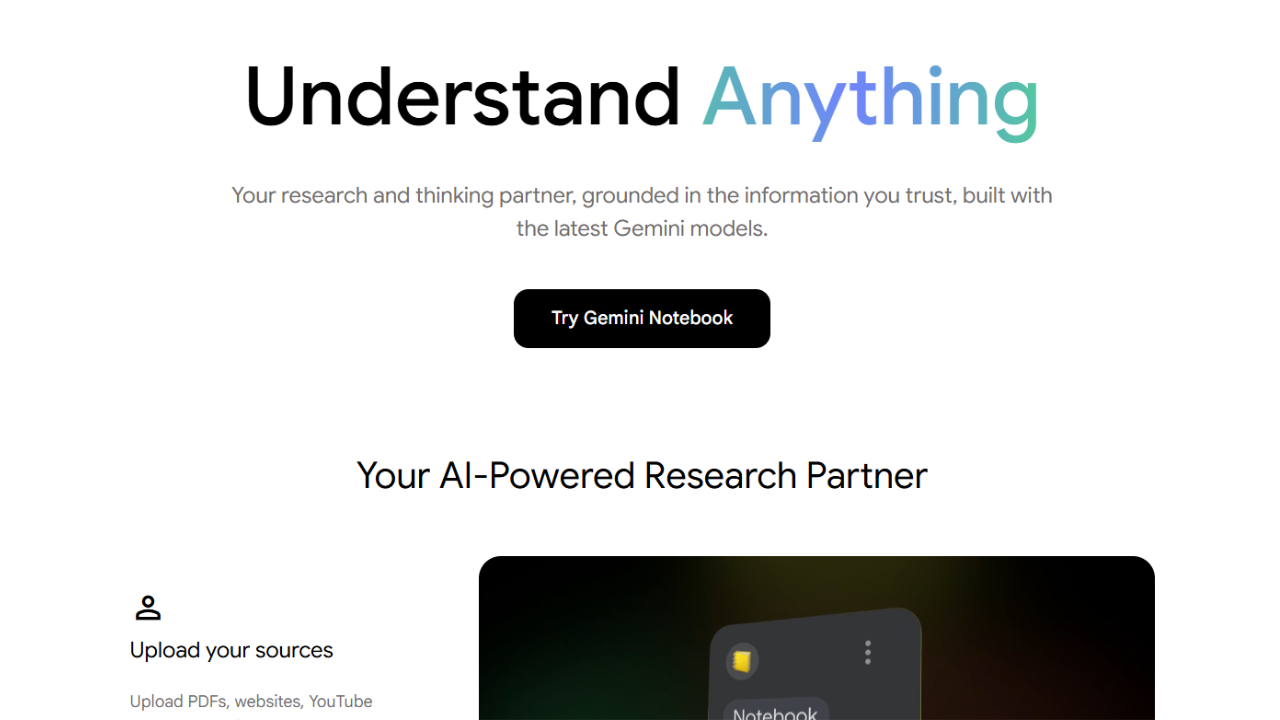
If you have ever dumped a research paper, company report, slide deck, or pile of web sources into an AI chatbot and then wondered whether the answer was actually grounded in those files, Google’s Gemini Notebook is designed to solve that exact problem. Formerly called NotebookLM, the tool is becoming more deeply connected to Gemini and Google Search while keeping its core identity as a source-grounded research workspace.
Google renamed NotebookLM to Gemini Notebook in July 2026. The company says the standalone product remains focused on research and learning, but it is now being connected more closely to the Gemini app and Google Search. Google also says more than 30 million people and 600,000 organizations use the product, making this more than a cosmetic rebrand.
The practical question is not whether the name changed. It is whether Gemini Notebook is now a better place to do serious document research than simply uploading files into a general chatbot. For researchers, marketers, students, analysts, and anyone who regularly works from a controlled set of sources, the answer can be yes but only if you use its source-selection and citation workflow correctly.
Key Takeaways
- NotebookLM is now called Gemini Notebook, but it remains a standalone research product.
- Its main advantage is source grounding: answers are built around the sources you add, with inline citations that point back to supporting material.
- It supports PDFs, DOCX, PPTX, CSV, Google Docs, Google Slides, Google Sheets, websites, YouTube URLs, ePub files, images, audio, and more, subject to source limits.
- Google is adding deeper Gemini and Search integration, plus a secure cloud computer for code-based data analysis.
- The free experience is already useful; Google AI plans mainly make sense when you need higher limits and additional Google AI features.
What Is Gemini Notebook?
Gemini Notebook is Google’s source-grounded AI research assistant, formerly known as NotebookLM. Instead of asking a general chatbot to rely on its broad model knowledge, you build a notebook around specific sources and then ask questions, request summaries, compare documents, or generate research outputs from that material.
That distinction matters. If you are reviewing a 100-page report, a contract, a product brief, and several supporting articles, the problem is not usually generating words. The problem is keeping the answer tied to the evidence.
Google’s current documentation says a notebook can work with sources such as PDF, DOCX, TXT, Markdown, CSV, PPTX, Google Docs, Google Slides, Google Sheets, web URLs, YouTube URLs, ePub files, images, and audio. Each uploaded source can contain up to 500,000 words or 200 MB, and the free experience supports up to 50 sources per notebook. citeturn6search1
Google has also kept the product’s strongest research feature: citations. When Gemini Notebook answers from your sources, it can point you back to relevant passages so you can inspect the underlying evidence instead of treating the generated answer as the evidence itself. citeturn6search4
What Actually Changed in 2026?
The biggest change is ecosystem integration, not the basic research concept. Google says NotebookLM is now Gemini Notebook and will work more broadly across the Gemini app and Google Search while remaining a standalone research tool.
The July 2026 announcement also introduced a secure cloud computer for each notebook. Google says this lets Gemini Notebook write and execute code for deeper data analysis grounded in the sources. The capability started with Google AI Ultra users and eligible Workspace customers and is rolling out to Pro users on the web. citeturn6search0
That matters for analysts. A source-grounded notebook can move beyond “summarize this report” toward questions such as: Which regions changed the most? What assumptions drive the forecast? Which numbers in these documents contradict each other? What patterns appear across the uploaded datasets?
Google is also bringing notebooks into the Gemini experience. Current Google documentation says notebooks can appear in Gemini, changes can sync between the two experiences, and Gemini chats can optionally become context for a notebook. There is an important difference, though: NotebookLM responses are grounded exclusively in notebook sources, while Gemini can also use web search and other tools. citeturn6search5
Practical caveat: Do not assume “Gemini Notebook” and “Gemini” are identical research environments. If you need strict source grounding, use the notebook experience and pay attention to which sources are selected. The broader Gemini experience can introduce information from outside your notebook.
Key Features Worth Knowing
The most useful Gemini Notebook features are the ones that reduce the distance between raw sources and an understandable research output. It is less about chatting for the sake of chatting and more about turning a controlled source library into a working research environment.
Source GroundingAsk questions against selected sources and inspect citations.
Multi-Source ResearchCombine reports, PDFs, web pages, slides, and other material in one notebook.
Research OutputsCreate study guides, briefings, mind maps, audio overviews, slides, and other formats where available.
1. Source selection
Source selection is one of the easiest features to overlook and one of the most useful. When a notebook contains many documents, you can select the specific sources you want the question to use. That gives you tighter control over the evidence.
2. Inline citations
Citations make Gemini Notebook particularly useful for research workflows. Instead of accepting a paragraph because it sounds plausible, you can follow the citation and verify the claim against the source. Google explicitly positions source citations as a trust and transparency feature. citeturn6search4
3. Multiple output formats
Gemini Notebook can transform source material into formats such as study guides, briefings, mind maps, audio overviews, quizzes, and other generated resources. Google’s current product documentation also describes notebooks as a place to organize and understand information rather than simply generate chat responses. citeturn6search4
4. Research across different source types
This is where the tool becomes more interesting for professional workflows. You can combine a PDF report with a spreadsheet, presentation, website, YouTube transcript, or other supported source. Google’s source documentation lists a broad set of supported formats and explains that web imports primarily use the text content of the page. citeturn6search1
How to Actually Use Gemini Notebook for Research
The best workflow is to build the notebook around a research question, not simply throw every file you own into it. A clean source set produces a more useful knowledge base and makes citations easier to audit.
- Create a notebook. Start a dedicated notebook for one project, client, class, research question, or topic.
- Add your primary sources first. Upload the reports, PDFs, spreadsheets, slides, or documents that should form the factual foundation.
- Add secondary sources selectively. Websites and YouTube sources can provide context, but do not mix unrelated material just because the notebook accepts it.
- Ask a source-mapping question. Try: “List the main claims made across these sources and identify which source supports each claim.”
- Move to comparison. Ask: “Where do these two reports agree, and where do their assumptions conflict?”
- Verify citations. Open the cited source passages before using an important number, quote, or conclusion in published work.
- Generate an output. Once the research is stable, create a briefing, study guide, timeline, audio overview, or other suitable format.
A strong prompt is specific about the evidence you want. Instead of “Summarize these PDFs,” ask: “Summarize the three largest changes described in the Q2 and Q3 reports. For each change, cite the supporting source and explain whether the documents agree on the cause.”
This approach is especially useful for marketing research. You could upload competitor reports, campaign briefs, customer research, and product documentation, then ask Gemini Notebook to extract recurring positioning themes or contradictions before turning the findings into a strategy document.
Pricing: Is Gemini Notebook Free?
Yes, the core notebook experience is available without paying for a Google AI plan, while paid Google AI plans provide higher limits and additional AI benefits. Google’s current US Google One page lists Google AI Plus and Google AI Pro, with Gemini Notebook included with expanded access on paid tiers. citeturn1search2turn1search3
| Option | Price shown by Google | What matters for research |
|---|---|---|
| Gemini Notebook free experience | $0 | Useful for source-grounded notebooks with usage limits. |
| Google AI Plus | $9.99/month in the current US Google One listing | More access to Gemini Notebook plus additional Gemini and Google storage benefits. |
| Google AI Pro | $19.99/month in the current US Google One listing | Expanded access to Gemini Notebook, Gemini Pro features, Deep Research, and 5 TB storage. |
Google also offers AI Ultra above Pro with higher limits and additional features, but most people researching PDFs, reports, and project documents do not need the top tier simply to use Gemini Notebook. citeturn1search2
Limits can change as Google expands the product. Current Google documentation says the free experience supports up to 50 sources per notebook, while each source can contain up to 500,000 words or 200 MB for uploaded files. citeturn6search1
Pros, Cons, and Who It Is Actually For
Gemini Notebook is strongest when your work depends on a defined body of evidence and you want AI help without losing the connection to the original sources. It is less compelling when you simply want a general chatbot to brainstorm from the open web.
Pros
- Strong source-grounded research workflow.
- Inline citations make important claims easier to verify.
- Supports many source types, including PDFs, documents, slides, spreadsheets, websites, YouTube URLs, images, and audio.
- Useful for multi-document research rather than one-off summaries.
- Integration with Gemini is becoming deeper.
- Free access makes it easy to test before paying.
Cons
- It can still make mistakes; citations improve verification but do not guarantee correctness.
- Source quality determines research quality.
- Some features and limits vary by plan, region, account type, and rollout status.
- Gemini integration can blur the distinction between strictly source-grounded notebook answers and broader Gemini answers if you are not paying attention to the mode you are using.
For students, researchers, marketers, analysts, writers, and professionals reviewing large collections of documents, Gemini Notebook is a particularly sensible tool to test. For casual questions with no source library, a general AI assistant may be faster.
How It Compares With ChatGPT and Claude
The main difference is workflow philosophy: Gemini Notebook is built around a controlled research library, while ChatGPT and Claude are broader general-purpose assistants that can also analyze uploaded files.
| Tool | Best fit | Where Gemini Notebook has an edge |
|---|---|---|
| Gemini Notebook | Research across a defined source set | Source organization, citations, notebook workflow, research outputs |
| ChatGPT | General file analysis, writing, data analysis, and mixed workflows | Broader task ecosystem and flexible file-based analysis |
| Claude | Long-form reasoning, writing, and document-heavy work | Less dependent on a dedicated notebook structure |
ChatGPT officially supports uploading PDFs, DOCX, spreadsheets, presentations, images, and other files for analysis, extraction, transformation, and comparison. OpenAI also recommends using specific prompts and asking for structured views when working with uploaded files. citeturn0search1turn0search17
Claude is similarly useful for document-heavy work and currently offers a free tier plus paid plans. Anthropic lists Claude Pro at $20 per month when billed monthly in the US. citeturn1search1turn1search9
The editorial takeaway is simple: choose Gemini Notebook when evidence management is the center of the workflow. Choose ChatGPT or Claude when the document is only one part of a much broader task involving writing, coding, analysis, or general problem solving.
Limitations You Should Know Before Trusting the Answers
Gemini Notebook reduces the risk of unsupported answers, but it does not eliminate AI error. Google’s own documentation says the system can fail when questions are unclear or when the requested information is not present in the sources. citeturn6search4
There is another practical issue: source ingestion is not the same as perfect document understanding. A PDF with unusual formatting, scanned pages, charts, footnotes, or complicated tables can be harder for an AI system to interpret than a clean text document.
For high-stakes work, use a three-step rule: ask, inspect, verify. Ask Gemini Notebook for the answer, inspect the citation and original passage, then verify important figures or conclusions independently.
Privacy note: Google says NotebookLM data is not used to train its foundational generative AI models unless you provide feedback. Workspace accounts can have additional contractual protections. Review the applicable Google terms and your organization’s policy before uploading confidential material. citeturn6search5turn6search11
FAQ
What is Gemini Notebook?
Gemini Notebook is Google’s AI research workspace, formerly called NotebookLM. It lets you organize sources such as PDFs, documents, slides, spreadsheets, websites, YouTube URLs, images, and audio, then ask questions and generate research outputs grounded in those sources.
Is NotebookLM now called Gemini Notebook?
Yes. Google announced in July 2026 that NotebookLM is being renamed Gemini Notebook. The standalone product remains focused on research and learning, while Google is expanding its integration with the Gemini app and Google Search.
Is Gemini Notebook free?
Yes. Gemini Notebook has a free experience with usage limits. Google also offers paid Google AI plans that provide expanded access to Gemini Notebook alongside other Gemini features, storage, and Google services. Current US Google One pricing lists Google AI Plus at $9.99/month and Google AI Pro at $19.99/month.
Can Gemini Notebook analyze PDFs?
Yes. Gemini Notebook supports PDF files as sources. You can ask questions about a PDF, request summaries or specific findings, compare it with other sources, and use citations to inspect supporting passages. Current documentation lists a maximum of 500,000 words or 200 MB for each source.
Is Gemini Notebook better than ChatGPT for research?
It depends on the workflow. Gemini Notebook is especially strong when you need answers grounded in a defined collection of sources with citations. ChatGPT is broader and can combine file analysis with writing, data analysis, coding, and other tasks. For source-controlled research, Gemini Notebook has a clear structural advantage.
Verdict: Who Should Actually Use Gemini Notebook?
Gemini Notebook is worth using if your biggest AI problem is not generating information but organizing and interrogating information you already have. The July 2026 rename makes the product more visible inside Google’s broader AI ecosystem, but its real value remains the same: build a trusted source set, ask precise questions, inspect citations, and turn the evidence into something useful.
For a marketer, that could mean a notebook containing competitor research, campaign reports, customer interviews, and product documents. For a student, it could be a course library. For an analyst, it could be a collection of reports and spreadsheets. The use case changes, but the workflow stays consistent.
If you are deciding between Gemini Notebook, ChatGPT, and Claude, do not choose based only on which model sounds smartest. Choose based on where your work starts. If it starts with “Here are the sources I need to understand”, Gemini Notebook deserves a serious look.

An AI researcher who spends time testing new tools, models, and emerging trends to see what actually works.

